Trending Now

Tim Cook Steps Down as Apple CEO — John Ternus Takes Over

Mufungo Geeks Logo

Mufungo Geeks

Tech News & Reviews

Home

Blog

How-To

Videos

New

Applications

EN

📚

TutorialsiPhone

How to Turn Do Not Disturb ON or OFF on iPhone

Learn how to quickly enable or disable Do Not Disturb on your iPhone to silence calls, alerts, and notifications.

Tawanda Muzavazi

Tutorial Author

April 22, 2026

-615 minutes ago

Share this article

Spread the knowledge with your network

How to Turn Do Not Disturb ON or OFF on iPhone

Do Not Disturb is one of the most useful features on your iPhone. Whether you are in a meeting, sleeping, or just need some quiet time, here is how to turn it on or off in seconds.

Method 1: Using Control Center

Swipe down from the top-right corner of your screen to open Control Center. Tap the crescent moon icon (Do Not Disturb) to toggle it on or off instantly.

Method 2: Through Settings

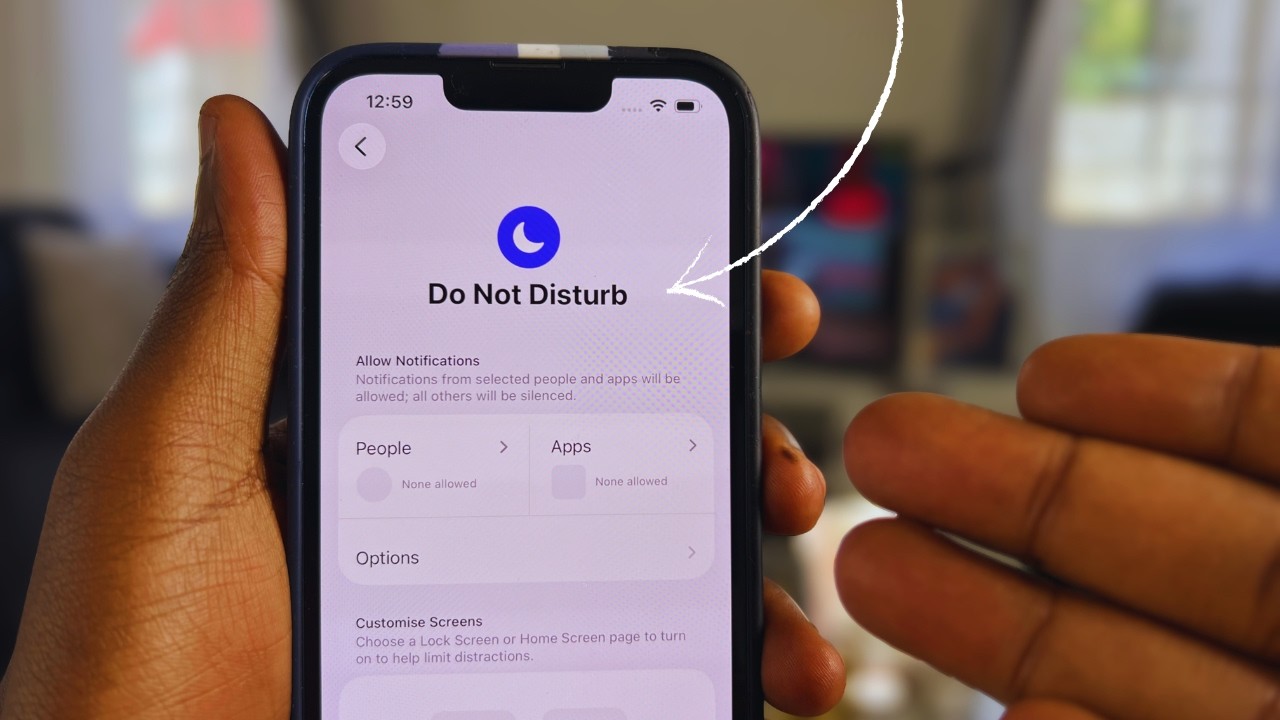
Go to Settings > Focus > Do Not Disturb. Toggle it on or off from there. You can also set a schedule so it turns on automatically at specific times, such as every night during your sleep hours.

Method 3: Schedule Do Not Disturb Automatically

Inside Settings > Focus > Do Not Disturb, tap Add Schedule or Automation. Set a start and end time. Your iPhone will automatically enable and disable Do Not Disturb at those times every day without you having to do anything.

Allow Calls From Specific Contacts

Inside the Do Not Disturb settings, tap People to choose who can still reach you even when DND is on. You can allow calls from favorites, specific contacts, or everyone in case of emergencies.

Video Guide

Watch the full step-by-step tutorial below:
Related Topics

Explore more content in these categories

#iPhone#Do Not Disturb#Focus#iOS#Tips

More Guides

Continue your learning journey

How to Delete Safari History on iPhone
Tutorials

How to Delete Safari History on iPhone

Clear your Safari browsing history on iPhone in seconds — remove all history or just specific sites, privately and quickly.

3 min read

Read guide

How to Find Lost iPhone Using Find My App: Complete Guide
Tutorials

How to Find Lost iPhone Using Find My App: Complete Guide

Learn step-by-step how to track, lock, and recover your missing iPhone using Apple's Find My app network.

5 min read

Read guide

How to Turn Off Read Receipts on iPhone
Apple

How to Turn Off Read Receipts on iPhone

Complete guide to disabling read receipts in iMessage on iPhone. Control your privacy and stop people from knowing when you've read their messages.

5 min read

Read guide

Mufungo Geeks

Your trusted source for tech news, reviews, and tutorials. Stay ahead in the world of technology.

Categories


© 2026 Mufungo Geeks. All rights reserved.

Made with ❤️ for everyone worldwide